
The Creative-First Playbook: How to Win on Meta Ads With a Brand-New Ad Account
A new Meta ad account has no history, no conversion data, and no proof of what works. Most advertisers react by tweaking audiences, stacking interests, and splitting budget into a dozen small ad sets. That approach made sense years ago. It doesn’t now.
Meta’s delivery system now does most of the targeting on its own. What you control, and what decides most of your results, is the creative: the image, video, hook, message, and offer you put in front of people. On Meta today, your creative is your targeting.
This guide gives you a complete, practical system for using creative strategy to get a fresh ad account profitable as fast as possible. It covers technical groundwork, account structure, how to plan creative that the algorithm can actually use, a testing framework, the numbers to watch, when to kill or scale, and a 90-day roadmap.
1. Why Creative Is the New Targeting
Over the past few years, Meta has moved from “advertiser picks the audience” to “the system finds the audience.” Three changes drove this:
- Privacy changes (iOS App Tracking Transparency and browser restrictions) made detailed targeting less precise and conversion data less complete.
- Machine-learning delivery (Advantage+ campaigns, Advantage+ audience, automated placements) now outperforms most hand-built audiences once it has enough signal.
- Meta’s ad retrieval system (often called “Andromeda”) looks at the content of each ad (the visuals, the words, the message) to decide which people are likely to respond. It then matches ads to people based on that.
What this means for you:
There’s a catch that new advertisers miss. Meta groups ads that look and sound too similar and treats them as one creative. If you upload ten versions of the same video with different background colours, the system sees roughly one idea. You paid for ten ads and got the reach of one.
So creative strategy today is about diversity of ideas, not volume of near-identical variations. The rest of this guide is built on that principle.
2. Before You Spend $1: The Foundation
Great creative can’t fix broken data. A fresh account needs a clean technical base so the algorithm can learn from every dollar.
2.1 Business assets
- Meta Business Portfolio (Business Manager) set up under your real business name, with at least two admins. A single admin is a single point of failure if that person’s profile is restricted.
- Facebook Page and Instagram account connected, with a profile photo, a bio, and a handful of genuine organic posts. New ad accounts linked to empty pages look less trustworthy to users and to Meta’s review systems.
- Payment method added and verified. Expect a low daily spending limit at first. It rises automatically as you spend and pay on time.
- Business verification completed if it’s available for your country. It reduces friction later.
2.2 Tracking
- Meta Pixel installed on every page.
- Conversions API (CAPI) set up alongside the pixel. Server-side events recover conversions the browser misses. Most platforms (Shopify, WooCommerce, WordPress plugins, GTM server-side) offer a native or partner integration.
- Event deduplication configured (matching
event_idon pixel and CAPI events) so conversions aren’t counted twice. - Domain verified in Business Settings.
- Aggregated events / priority configured where still required for your setup.
- Event Match Quality checked in Events Manager. Aim for “Good” or better by passing hashed email, phone, and other customer parameters.
Fire a test purchase (or lead) and confirm it shows up correctly in Events Manager before launching.
2.3 The landing page
Your ad sets an expectation, and the landing page has to deliver on it. Before you launch:
- Load time under about 3 seconds on mobile.
- The headline matches the promise in your ads.
- One clear call to action above the fold.
- Social proof (reviews, testimonials, logos, numbers) close to the CTA.
- Clear pricing, shipping, and returns information for ecommerce.
A weak landing page makes good creative look bad. You’ll be killing ads that would have worked.
2.4 Choose the right conversion event
The algorithm optimises for the event you choose. It needs volume to learn: roughly 50 optimisation events per ad set per week to exit the learning phase reliably.
| Situation | Optimise for |
|---|---|
| Ecommerce, product under ~$100, budget can generate several purchases a day | Purchase |
| High-ticket product or tight budget | Add to Cart or Initiate Checkout at first, then move to Purchase |
| Lead generation | Lead (or a qualified-lead event via CAPI if you can send it back) |
| Booked calls / services | Schedule or a custom “qualified booking” conversion |
Optimise for the deepest event you can realistically hit with your budget. Optimising for clicks or landing-page views on a conversion business usually buys cheap traffic that doesn’t convert.
3. Research: Finding What to Say
The best ads don’t come from brainstorming slogans. They come from your customers’ own words. Spend a day on research before you write a single script.
3.1 Sources to mine
- Customer reviews (yours and competitors’), especially 3-star reviews, which tend to be the most honest.
- Amazon, Trustpilot, Google reviews for your category.
- Reddit, Quora, Facebook groups, and forums where your audience talks about the problem.
- Customer support tickets and sales call notes: objections, questions, and the moment people decided to buy.
- Post-purchase surveys: “What almost stopped you from buying?” and “What made you buy today?”
- Meta Ad Library: search competitors and adjacent brands. Ads that have been running for months are usually profitable. Study the angles, not the exact designs.
3.2 What to extract
Build a simple research document with these columns:
| Pain points | Desired outcomes | Objections | Exact phrases customers use | Proof points |
|---|---|---|---|---|
| “My back hurts after work” | “Sleep through the night” | “Too expensive” | “I wish I’d bought it sooner” | 4.8★ from 2,000 reviews |
Copy customers’ phrases word for word. Ads that sound like the customer usually beat ads that sound like a marketing team.
3.3 Define personas and awareness levels
Write down 3–5 distinct buyer personas. For each one, note their main motivation and their biggest objection.
Then map each persona to an awareness level (from Eugene Schwartz’s classic framework):
- Unaware: doesn’t know they have the problem.
- Problem-aware: feels the pain, doesn’t know solutions exist.
- Solution-aware: knows solutions exist, hasn’t picked one.
- Product-aware: knows your product, isn’t convinced yet.
- Most aware: ready to buy, needs a reason to act now.
A cold, brand-new account mostly reaches levels 1–3. Most of your early creative should lead with the problem or the outcome, not your product name.
4. The Creative Diversity Framework
This is the core of the strategy. You want a portfolio of genuinely different ads, so the system can find different pockets of buyers.
4.1 The four layers of a creative
Think of every ad as four layers. They’re listed below from the biggest impact to the smallest:
- Concept / angle: the core idea or reason to buy. (“It saves you two hours a week.” “It’s what dermatologists use.” “Cheaper than the alternative.”)
- Persona: who the ad speaks to. (Busy parent vs. gym-goer vs. gift buyer.)
- Format: how it’s delivered. (UGC video, static image, carousel, demo, founder story.)
- Execution details: the hook, headline, colours, music, length, CTA button.
New advertisers tend to test layer 4 (button colours, small headline changes) first. That’s backwards. Test concepts first, then personas and formats, then details. Big swings find winners. Small tweaks polish them.
4.2 Build a creative matrix
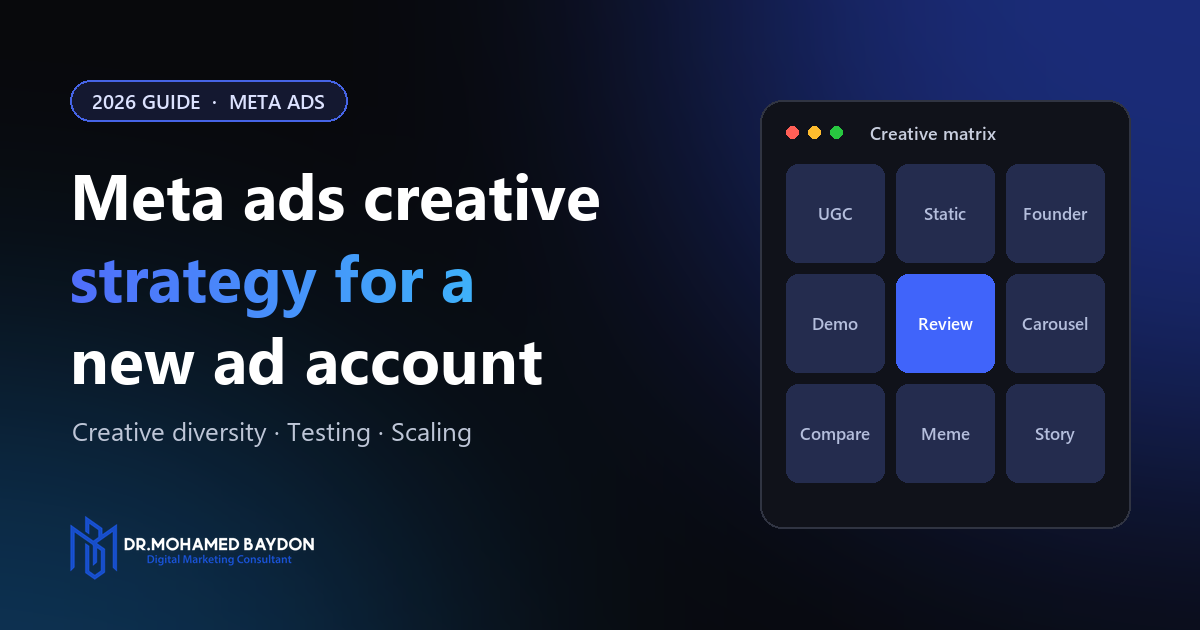
Make a grid of angles × personas, then assign a format to each cell. Here’s an example for a fictional ergonomic office chair:
| Angle ↓ / Persona → | Remote worker | Gamer | Back-pain sufferer |
|---|---|---|---|
| Pain relief | UGC: “My back stopped hurting after week one” | Static: before/after posture | Founder video: why we designed it |
| Productivity | Demo: 8-hour workday time-lapse | UGC: streamer setup tour | Carousel: 5 features that help you focus |
| Value vs. alternatives | Comparison static: us vs. $1,200 chair | Meme-style static | Testimonial compilation |
Nine cells give you nine genuinely different ads. Each one is a different message to a different person in a different format, which is exactly the kind of variety the delivery system can use.
4.3 Angle ideas to fill your matrix
If you’re stuck, run through this list:
- Problem/solution: name the pain, show the fix.
- Us vs. them: compare your product with the old way or a competitor category (don’t name competitors in a misleading way).
- Social proof: reviews, numbers, “join 10,000 customers.”
- Authority: expert, founder, or certification.
- Transformation: before and after (follow Meta’s policies on this, especially in health and beauty).
- Objection-busting: “Too expensive? Here’s the cost per day.”
- Curiosity/education: “3 mistakes people make when choosing X.”
- Story: founder origin, customer journey.
- Offer-led: bundle, guarantee, free shipping, limited-time deal.
- Unboxing / sensory: what it looks, sounds, and feels like.
4.4 How many creatives to launch
For a new account, a practical starting point is 6–10 distinct concepts. Give each concept 1–3 executions (for example, a video and a static). That’s enough variety for the system to explore without spreading a small budget too thinly.
5. Formats That Work for New Accounts
A new account has no brand recognition, so formats that build trust quickly tend to win early.
5.1 UGC (user-generated content) style video
Real people talking to their phone camera about the product. It looks native to the feed, builds trust, and is cheap to produce. You can get it from real customers, from UGC creators on platforms built for that, or by filming yourself and your team.
Structure that works:
- Hook (0–3s): call out the problem or a surprising claim.
- Problem (3–8s): make it relatable.
- Solution (8–20s): show the product in use.
- Proof (20–30s): a result, a review, a demo.
- CTA (last 3–5s): tell them exactly what to do.
5.2 Static images
Statics are underrated. They’re fast to make and cheap to test, and they often convert better than video for retargeting and simple offers. Strong static types:
- Headline + product shot with one bold benefit.
- Review screenshot or testimonial card.
- Comparison chart (us vs. them).
- “Notes app” or native-looking text post.
- Feature callouts with arrows pointing at the product.
5.3 Founder-led video
The founder explains why the product exists. This builds trust that a faceless brand can’t, and that matters a lot when nobody has heard of you yet.
5.4 Demo / product-in-action
Show the product doing its job, close up, with no fluff. This works especially well for gadgets, tools, software, and anything with a “wow” moment.
5.5 Carousel
Good for multiple products, step-by-step stories, or “5 reasons why” listicles. Put your strongest card first, because many people only see one.
5.6 Technical specs
- Aspect ratios: supply 9:16 (Stories/Reels) and 4:5 (Feed) versions of every ad. Use 1:1 as a fallback. Use Meta’s placement asset customisation so each placement gets the right size.
- Safe zones: keep text and faces out of the top ~14% and bottom ~20–35% of 9:16 video, where Reels and Stories UI covers them.
- Captions: always burn in captions or add them. Many people watch with the sound off.
- Length: 15–45 seconds covers most cold-traffic video. Front-load the message regardless of length.
- Text: keep on-image text short and legible on a phone screen.
5.7 A note on AI-generated creative
Meta’s Advantage+ creative tools (text variations, image expansion, backgrounds, and so on) and third-party AI tools can speed up production. Use them to produce variations of proven concepts, not to replace research. Always review AI outputs before they go live: check for accuracy, brand fit, and policy compliance. Turn off automatic enhancements you haven’t checked if brand control matters to you.
6. Hooks: Winning the First Three Seconds
On mobile, people decide in about a second whether to keep watching. If the hook fails, nothing else in the ad matters.
6.1 Hook formulas
- Call-out: “If you work from a laptop all day, watch this.”
- Bold claim: “This $40 chair fixed my back better than my $900 one.”
- Question: “Why does your back hurt more on Fridays?”
- Negative/warning: “Stop buying office chairs until you see this.”
- Result-first: open on the “after” shot.
- Pattern interrupt: unexpected visual, movement, or sound.
- “POV” / relatable scenario: “POV: it’s 4pm and you can’t sit still anymore.”
- Social proof: “12,000 people switched to this last month.” (Use only if it’s true.)
6.2 Visual hooks matter as much as words
Combine a spoken or text hook with a visual one. That could be motion in the first frame, a face looking at the camera, the product in an unexpected context, or a dramatic before/after. A static first frame of a logo is the fastest way to lose people.
6.3 Hook testing
Once a video wins, film or edit 3–5 alternative hooks onto the same body. This is one of the cheapest, highest-leverage tests you can run. A new hook can bring a tired ad back to life.
7. Account Structure for a Fresh Account
Keep it simple. Complexity splits your data, and a new account has little data to spare.
7.1 Recommended starting structure
Campaign 1: Testing (and early scaling)
- Objective: Sales (or Leads).
- Advantage+ sales campaign, or a manual sales campaign with broad targeting (country, age 18–65+, all genders) and Advantage+ placements.
- 1–2 ad sets, each holding a batch of distinct concepts (roughly 4–8 ads).
- Budget: enough for each ad set to aim for meaningful conversion volume (see 7.3).
Campaign 2: Scaling (add after you have winners)
- Move proven winners here, using the same post ID so they keep their social proof (likes, comments, shares).
- Advantage+ or broad, campaign budget (CBO), and fewer, stronger ads.
Retargeting campaign (optional, later): Advantage+ already reaches warm audiences. Only add separate retargeting once you have meaningful site traffic and a specific message for warm people (an offer, objection handling, or reviews).
7.2 Why broad targeting?
With broad targeting, the algorithm uses your creative and conversion data to find buyers, with no interest restrictions in the way. Narrow interest stacks on a new account usually mean higher CPMs and smaller audiences, and the learning phase never ends. If you have a strong customer list, you can add it as an audience suggestion without restricting delivery.
7.3 Budget math
A simple rule for test budgets:
Example: if your target cost per purchase is $30, run each test ad set at about $30–$60 per day. Each concept then has a realistic chance of producing a conversion signal within a few days.
If your budget can’t support that, optimise for a higher-funnel event (Add to Cart, Initiate Checkout) at first, or run fewer ad sets with more ads in each.
7.4 Testing method options
| Method | How it works | Best for |
|---|---|---|
| Batch testing in one ad set | 4–8 new ads in one ad set; Meta allocates spend | Fast, budget-efficient, mirrors real delivery |
| ABO testing (one concept per ad set) | Each concept gets its own ad set and fixed budget | Guaranteed spend per concept; costs more |
| Meta A/B test tool | Split audiences with statistical reporting | Clean answers to specific questions (e.g. video vs. static) |
For most new accounts, batch testing is the most efficient way to start. One limitation: Meta will spend heavily on a few ads and barely touch others. An ad with little spend hasn’t “lost,” it’s untested. If you believe in that concept, retest it in a new batch or in its own ad set.
8. The Creative Testing System
Testing should be a weekly habit, not something you do once.
8.1 The weekly cadence
| Day | Action |
|---|---|
| Monday | Review last week’s data; pick winners, losers, and “inconclusive” |
| Tuesday | Brief new creatives: new concepts + iterations of winners |
| Wednesday–Thursday | Produce creatives |
| Friday | Launch new test batch |
| Weekend | Let it run; don’t touch it |
8.2 The 70/20/10 creative mix
Once you have a winner or two, split new creative production like this:
- 70% iterations: new hooks, formats, and personas built on proven concepts.
- 20% adjacent ideas: new angles close to what’s working.
- 10% wild cards: completely new concepts, formats, or bold ideas.
Before you have winners, flip this. Most of your production should be new concepts until something clicks.
8.3 Give the algorithm time
- Avoid editing live ads or ad sets during the first 3–5 days. Significant edits restart learning.
- Judge on at least 3–7 days of data and enough spend. A useful rule of thumb is 2–3× your target CPA spent on an ad before you decide.
- Don’t make decisions from a single day. Daily results on a new account swing wildly.
8.4 Keep a creative log
Track every ad in a simple spreadsheet:
| Ad name | Concept | Persona | Format | Hook | Launch date | Spend | Hook rate | CTR | CPA | ROAS | Verdict | Learnings |
|---|
Use a consistent naming convention in Ads Manager too, for example: C04_PainRelief_RemoteWorker_UGC_HookQuestion_v2
After a couple of months, this log becomes your most valuable asset. It shows you which angles, personas, and formats work for your business, which no guide can tell you.
9. Metrics That Matter (and How to Read Them)
Read your metrics in funnel order. Each stage tells you which part of the ad to fix.
9.1 The creative diagnostic funnel
| Metric | Formula / Where to find it | What it tells you | Rough starting benchmark* |
|---|---|---|---|
| Hook rate (thumb-stop) | 3-second video plays ÷ impressions | Does the opening stop the scroll? | 25–30%+ |
| Hold rate | ThruPlays (or 15s plays) ÷ 3-second plays | Does the body keep attention? | 30–40%+ |
| CTR (link) | Link clicks ÷ impressions | Does the ad create enough desire to click? | ~1%+ |
| CPM | Cost per 1,000 impressions | How expensive the audience/auction is | Varies widely by market |
| CPC (link) | Spend ÷ link clicks | Cost of traffic | Varies |
| Landing page conversion rate | Conversions ÷ landing page views | Does the page and offer close? | Varies by industry |
| CPA / CPL | Spend ÷ conversions | The number that pays the bills | Your target |
| ROAS | Revenue ÷ spend | Profitability (ecommerce) | Your break-even + margin |
*Benchmarks vary a lot by industry, country, and offer. Use your own account averages as the real benchmark once you have a few weeks of data.
You’ll need to add hook rate and hold rate as custom metrics in Ads Manager (Columns → Customise columns → Create custom metric).
9.2 Diagnosing problems
- Low hook rate: the opening isn’t working. Test new hooks, first frames, and on-screen text.
- Good hook, low hold rate: the body is boring or the hook overpromised. Tighten the edit, speed up pacing, and get to the point faster.
- Good hold, low CTR: the message doesn’t create enough desire, or the CTA is weak. Strengthen the offer, proof, or call to action.
- Good CTR, poor conversion rate: the problem is probably after the click. Check the landing page, price, offer, page speed, or message mismatch.
- High CPM: the creative may be low quality or ranked poorly. The audience may be competitive, or you’re in a high-cost season (Q4, sales events). Check the quality, engagement, and conversion rate rankings in ad relevance diagnostics.
9.3 Attribution sanity check
Meta’s reported results won’t match your store or CRM exactly. Compare Meta-reported conversions with your backend numbers weekly and track blended metrics too:
If Meta says you’re profitable but your bank account disagrees, trust the bank account.
10. Kill, Keep, or Scale: Decision Rules
Set rules in advance so emotion doesn’t make your decisions.
10.1 Kill an ad when
- It has spent 2–3× your target CPA with zero conversions, and
- Its leading indicators (hook rate, CTR) are also below your account average.
10.2 Keep watching when
- CPA is within ~20–30% of target, or
- Spend is still low and front-end metrics (hook rate, CTR) are strong. Give it more time or a fresh test.
10.3 Call it a winner when
- CPA is at or below target over at least 3–7 days, with a meaningful number of conversions (aim for 10+ where budget allows), and
- Results hold up when you compare them with your backend data.
10.4 How to scale a winner
- Vertical scaling: raise the budget of the winning ad set or campaign by about 20–30% every 2–3 days while CPA holds. Bigger jumps can work, but they risk destabilising delivery.
- Duplicate into your scaling campaign using the existing post ID, so you keep the social proof.
- Horizontal scaling: iterate on the winning concept (new hooks, personas, formats) and launch those variations. A single winning ad eventually fatigues. A winning concept can carry you for months.
- Expand geography if your business can serve more countries.
Expect CPA to rise somewhat as you scale. You’re reaching people who are less ready to buy. Decide in advance how much CPA increase is acceptable for more volume.
11. Iterating on Winners
When an ad wins, find out why before you make variations. Is it the hook? The angle? The creator? The format? The offer?
Then iterate along each dimension:
| Variable | Iteration examples |
|---|---|
| Hook | 3–5 new opening lines or first frames on the same body |
| Creator / talent | Same script, different person (age, gender, style) |
| Format | Turn the winning video into a static, carousel, or meme |
| Persona | Same angle rewritten for a different buyer |
| Length | 15s cut, 30s cut, 60s cut |
| Offer | Same creative, different offer or guarantee message |
| Visual style | Lo-fi phone footage vs. polished studio footage |
Remember the diversity principle. Iterations are great for squeezing more out of a winner, but you still need new concepts in every batch, or your account will run out of fresh ideas to scale.
12. Spotting and Beating Creative Fatigue
Every ad eventually wears out. On smaller budgets it can take months. At high spend it can happen within weeks.
Warning signs
- Frequency climbing (watch for 3+ over 7 days on cold traffic as a caution flag).
- CTR steadily declining over 1–2 weeks.
- CPM rising without a seasonal reason.
- CPA creeping up while the targeting and budget haven’t changed.
- Comments turning from “Where can I buy?” to “I keep seeing this ad.”
What to do
- Launch fresh hooks on the fatiguing ad first. It’s the cheapest fix.
- Swap in new iterations of the same concept.
- Introduce new concepts from your pipeline.
- Don’t turn off a fading winner before replacements are proven. Lower its budget gradually instead.
The best defence is a steady pipeline: aim to launch new creative every week, scaled to your budget. A common guideline is several new ads per week for small accounts, and more as spend grows.
13. Mistakes That Sink New Accounts
- Launching without CAPI and verified tracking. The algorithm learns from bad data and optimises badly.
- Over-segmenting. Ten ad sets at $10 a day each will never exit learning.
- Testing tiny variations instead of big ideas. Ten near-identical ads count as one idea to the system.
- Judging ads after 24 hours. Early data on a fresh account is noise.
- Constant editing. Every significant change resets learning.
- Only one format. Supply video and static, 9:16 and 4:5.
- Leading with the brand name. Cold audiences don’t care about your brand yet. Lead with their problem.
- Ignoring the landing page. Most “bad ads” are really a bad page or offer.
- Breaking ad policies. Avoid implying personal attributes (“Are you struggling with debt?”), making unrealistic claims, using misleading before/after images, or using sensational language. A new account with policy violations can be restricted fast. Check whether you fall under a special ad category (credit, employment, housing, social issues/politics) and declare it.
- Scaling too aggressively. Doubling or tripling the budget overnight on a fragile winner often kills it.
- Stopping creative production once something works. Winners fade. The pipeline must keep running.
14. Your 90-Day Roadmap
Days 1–7: Foundation
- Set up the Business Portfolio, Page, Instagram, payment, and domain verification.
- Install the Pixel + CAPI and confirm events with test conversions.
- Finish customer research and write 3–5 personas.
- Build your creative matrix and produce 6–10 distinct concepts (video + static where possible, 9:16 + 4:5).
- Set up your creative log and naming convention.
Days 8–30: Discovery
- Launch your first testing campaign (broad or Advantage+, 1–2 ad sets).
- Hold off on edits for the first 3–5 days.
- Run your first weekly review using the kill/keep/scale rules.
- Launch a new batch every week, still weighted towards new concepts.
- Goal: find 1–3 concepts that hit or approach your target CPA.
Days 31–60: Optimisation
- Move winners into a scaling campaign using post IDs.
- Shift production towards the 70/20/10 mix.
- Run hook tests on every winning video.
- Turn winning videos into statics and carousels (and the other way round).
- Start scaling budgets by 20–30% every few days where CPA holds.
- Compare Meta results with backend data and MER weekly.
Days 61–90: Scaling
- Increase total spend steadily while watching blended efficiency.
- Add new personas and angles from what your log reveals.
- Consider dedicated retargeting or offer-based campaigns if your warm audience is large enough.
- Watch closely for fatigue and keep the weekly creative pipeline running.
- Document your creative playbook: the angles, hooks, formats, and creators that consistently work for your brand.
15. Final Checklist
Before launch
- ☐ Pixel + Conversions API live and deduplicated
- ☐ Domain verified, events tested in Events Manager
- ☐ Landing page fast, consistent with the ads, and conversion-ready
- ☐ Research doc with customer language, pains, objections, and proof
- ☐ 3–5 personas mapped to awareness levels
- ☐ Creative matrix with 6–10 genuinely distinct concepts
- ☐ Every ad in 9:16 and 4:5, captions on, safe zones respected
- ☐ Ads reviewed against Meta advertising policies
At launch
- ☐ Simple structure: 1 campaign, 1–2 ad sets, broad / Advantage+
- ☐ Budget ≈ 1–2× target CPA per ad set per day
- ☐ Correct optimisation event chosen
- ☐ Naming convention and creative log in place
Every week
- ☐ Review with kill/keep/scale rules (no decisions on 1 day of data)
- ☐ Diagnose with hook rate → hold rate → CTR → CVR → CPA
- ☐ Launch a new batch of creatives
- ☐ Iterate on winners (hooks first)
- ☐ Check fatigue signals and backend numbers
Conclusion
A new Meta ad account doesn’t need clever targeting tricks. It needs clean data, a simple structure, and a steady supply of genuinely different, customer-driven creative. Feed the algorithm varied ideas, judge them with patience and clear rules, double down on what works, and keep the pipeline moving.
Get that right and your creative becomes your targeting, your testing becomes your strategy, and your creative log becomes a long-term advantage that competitors can’t copy.
Start with research. Build your matrix. Launch your first batch. Then repeat every week.
Platform features and policies change often. Check Meta’s current Business Help Center documentation for the latest details on campaign types, tools, and advertising policies before launching.
Want a second pair of eyes?
Launch your account creative-first
In the Store Growth Audit I review your tracking, account structure and creative, and give you the first batch of concepts to test. Or let me run your Meta ads for you.